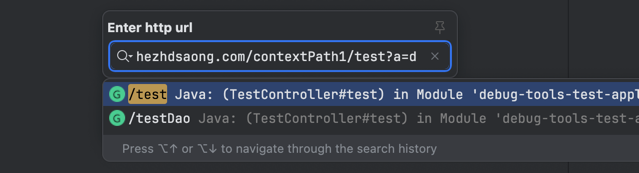
Search HTTP URL to Jump Directly to the Corresponding Method Definition
Purpose
In Spring, Spring Boot, JAX-RS, or WebFlux projects, an HTTP URL is usually composed from Mapping annotations on both the class and the method. DebugTools can search for the matching interface method based on the entered URL and jump directly to the code definition.
Use
Shortcut Keys
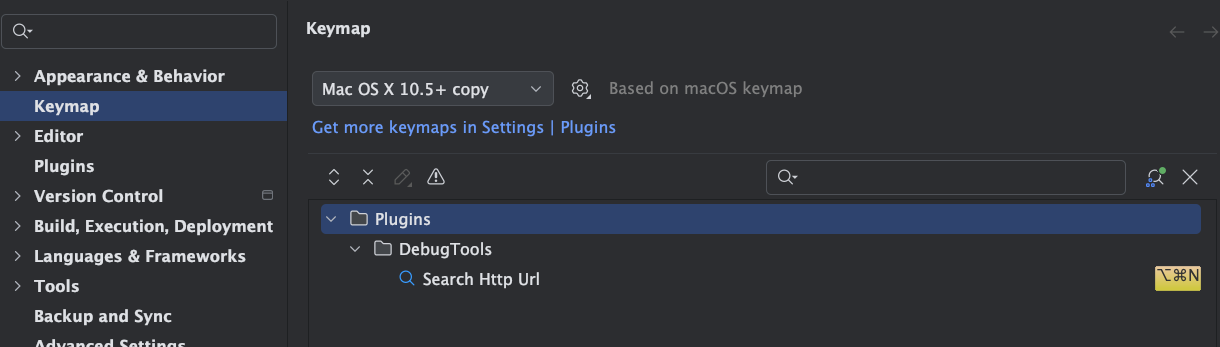
The default shortcut is macOS command option N / Windows ctrl alt N. You can also modify it in IDEA's keymap settings.
Open the search box, enter the URL, and select a matching item to jump to the code definition.
- Supports word-segment search

- Supports searching by comments

- Supports Chinese comments and Chinese initial-letter search

Tool Window
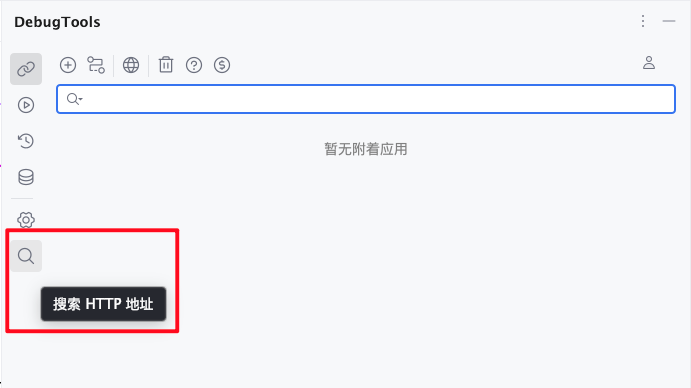
Click the  toolbar on the right side of IDEA to open the DebugTools window, then click
  on the left to open the HTTP URL search box.
Search URLs in Dependent JARs
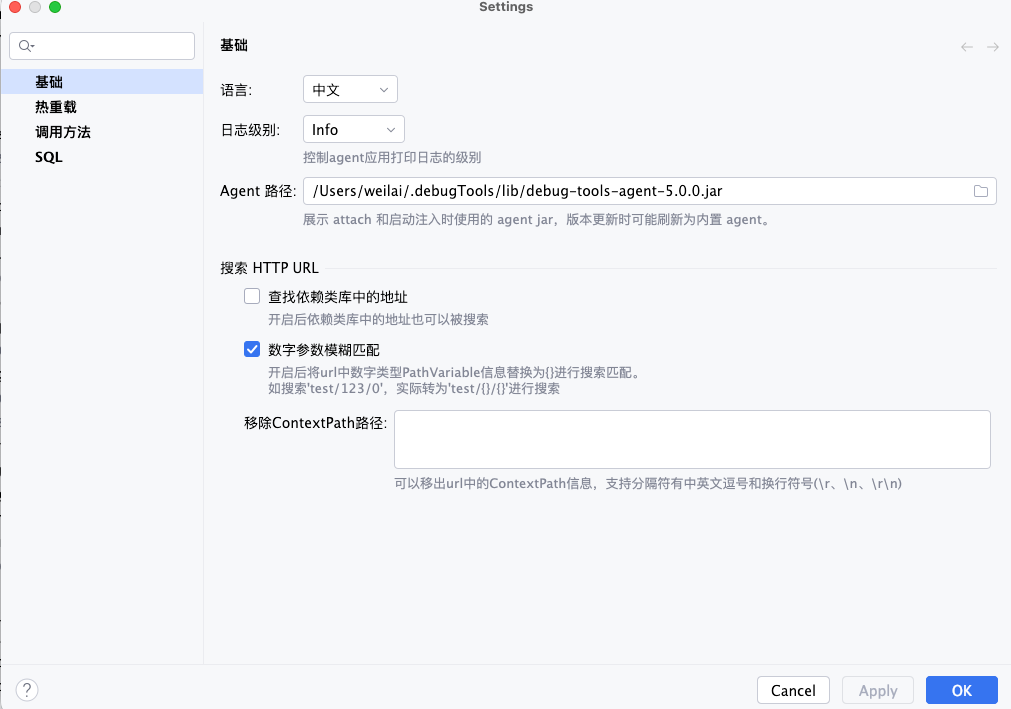
After enabling this option, DebugTools also searches URL information in dependent JAR files.
Match Path Information
URL Information Extraction
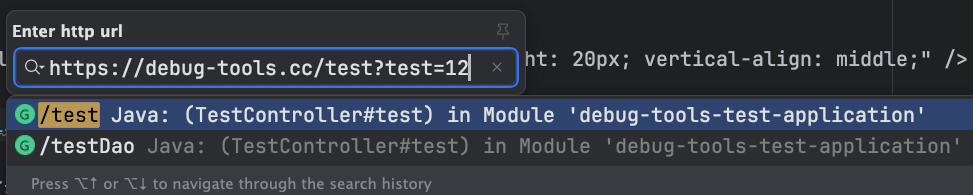
No matter which URL format below you enter, DebugTools extracts /test for matching
localhost/test?test=12http://localhost/test?test=12https://debug-tools.cc/test?test=12http://debug-tools.cc/test?test=12debug-tools.cc/test?test=12www.sada.com/test?test=12dasf.com/test?test=12cass.com/testhezhdsaong.com/test192.31.1.3/test192.31.1.3:31/testhttp://192.31.1.3:31/test
Request Method Prefix Filter
If the same Path has multiple request methods in the project, add an HTTP method prefix before the URL to show only matching results for the specified method.
Supported prefixes include GET, POST, PUT, DELETE, PATCH, HEAD, OPTIONS, TRACE, and REQUEST. Matching is case-insensitive.
Request method filter examples
GET /patientput /patientDELETE http://localhost:8080/patient?id=1
When you enter put /patient, DebugTools first recognizes the PUT method, then uses /patient for URL matching, and only shows the method corresponding to PUT /patient. When no method prefix is entered, the original behavior is preserved: all request methods are matched by Path.
Match Numeric Path Variables
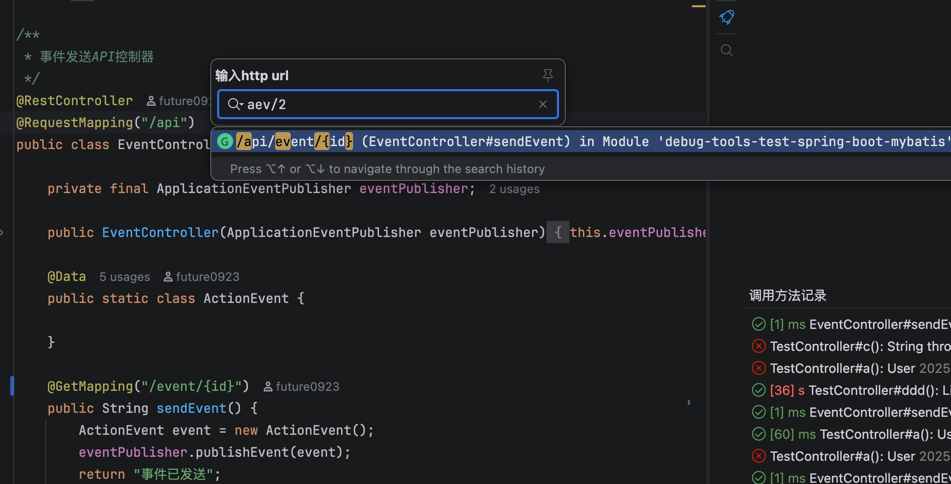
After enabling this option, numeric PathVariable segments in the URL are replaced with {} for search matching.
For example, searching test/123/0 is converted to test/{}/{}.
Setting:
Result:
Remove ContextPath Information
Many projects configure server.servlet.context-path, which can prevent direct URL searches from matching the corresponding method. Extra Path information may also appear after gateway forwarding.
You can configure the ContextPath values that need to be removed. Multiple values can be split by separators. DebugTools supports ,, ,, and newline separators (\r, \n, \r\n).
The configuration in the screenshot is parsed as contextPath1, contextPath2, contextPath3, and contextPath4.
After configuring ContextPath values to remove, no matter which URL format below you enter, DebugTools extracts /test for matching
localhost/contextPath1/test?test=12http://localhost/contextPath2/test?test=12https://debug-tools.cc/contextPath3/test?test=12http://debug-tools.cc/contextPath4/test?test=12debug-tools.cc/contextPath1/test?test=12www.sada.com/contextPath2test?test=12dasf.com/contextPath3/test?test=12cass.com/contextPath4/testhezhdsaong.com/contextPath1/test192.31.1.3/contextPath2/test192.31.1.3:31/contextPath3/testhttp://192.31.1.3:31/contextPath4/test